About Cyber Safety Escape Room
A free cyber security escape room game for students. Your PC has been "hacked". Solve security puzzles to unlock each lock and escape before time runs out.
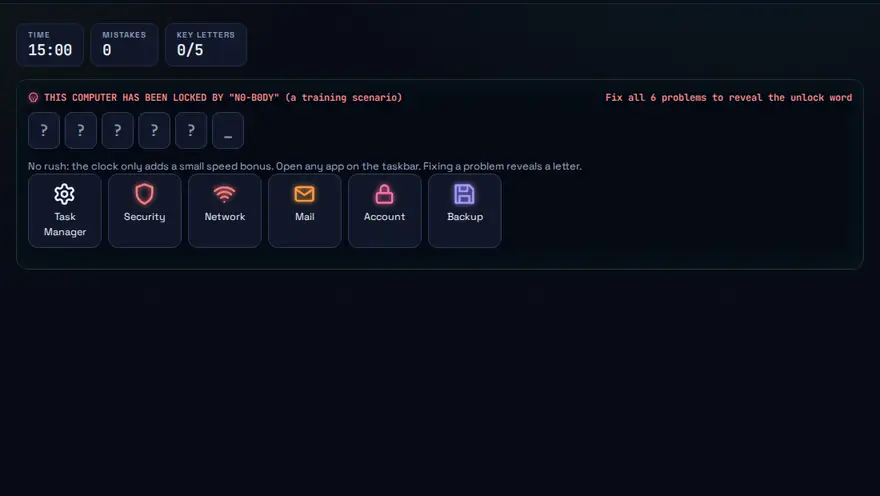
Skills you practise
- Passwords
- Phishing
- Malware
- Privacy
- 2FA
How to play
- Click objects around the room to find clues.
- Solve each security puzzle.
- Escape before the countdown ends.
Why this skill matters
Security is easier to remember when you have to apply it. In this escape room a compromised PC is locked behind puzzles that mirror real defensive tasks: spotting suspicious files, tightening settings and recognising unsafe habits. Each lock you open is a lesson in how attacks work and how to stop them. Because it runs in the browser and needs no sign-up, it works as an online cyber security escape room for a classroom or computer lab, and as a cybersecurity awareness game for students who are learning at home.
Key terms you will meet
- Malware
- Software built to harm a system or steal data, such as viruses, ransomware or spyware.
- Ransomware
- Malware that locks files and demands payment to release them.
- Patching
- Installing updates that fix known security weaknesses.
- Least privilege
- Giving people and programs only the access they need and no more.
- Social engineering
- Manipulating people, rather than software, into giving access.
- Backup
- A separate copy of data that lets you recover without paying an attacker.
A worked example
A puzzle shows a list of programs, and one has an unfamiliar name running from a temporary folder with high network use. You identify it as suspicious, disconnect the PC from the network, and the next lock asks what to do before cleaning: confirm a backup exists. Each answer is explained, so you leave knowing the order that real responders follow.
Common mistakes to avoid
- Paying a ransom before checking whether a clean backup exists.
- Leaving the system unpatched because updates seem inconvenient.
- Giving every user administrator rights.
Questions people ask
What is the first thing to do if I think a PC is infected?
Disconnect it from the network to stop the spread, then tell your IT or security team before making changes.
Does antivirus alone keep me safe?
No. It helps, but updates, backups, careful clicking and limited permissions matter just as much.
Can I use this cyber security escape room in a classroom?
Yes. It is free, needs no sign-up and runs in a normal browser, so a class can play on lab computers or at home. Afterwards, ask students which clue taught them something new and how they would apply it to their own devices.
Level: All · Best for: All students · Part of the Cybersecurity path. Pass it to earn the “Cyber Safety Escape Room Master” badge and a game certificate.
Related: Phishing Detective, Password Fortress, Cyber Ethics Choices · Next: Cyber Ethics Choices · All 18 games · About · IT glossary
Content reviewed by Hritik · 2026-11-11.